
MacBar
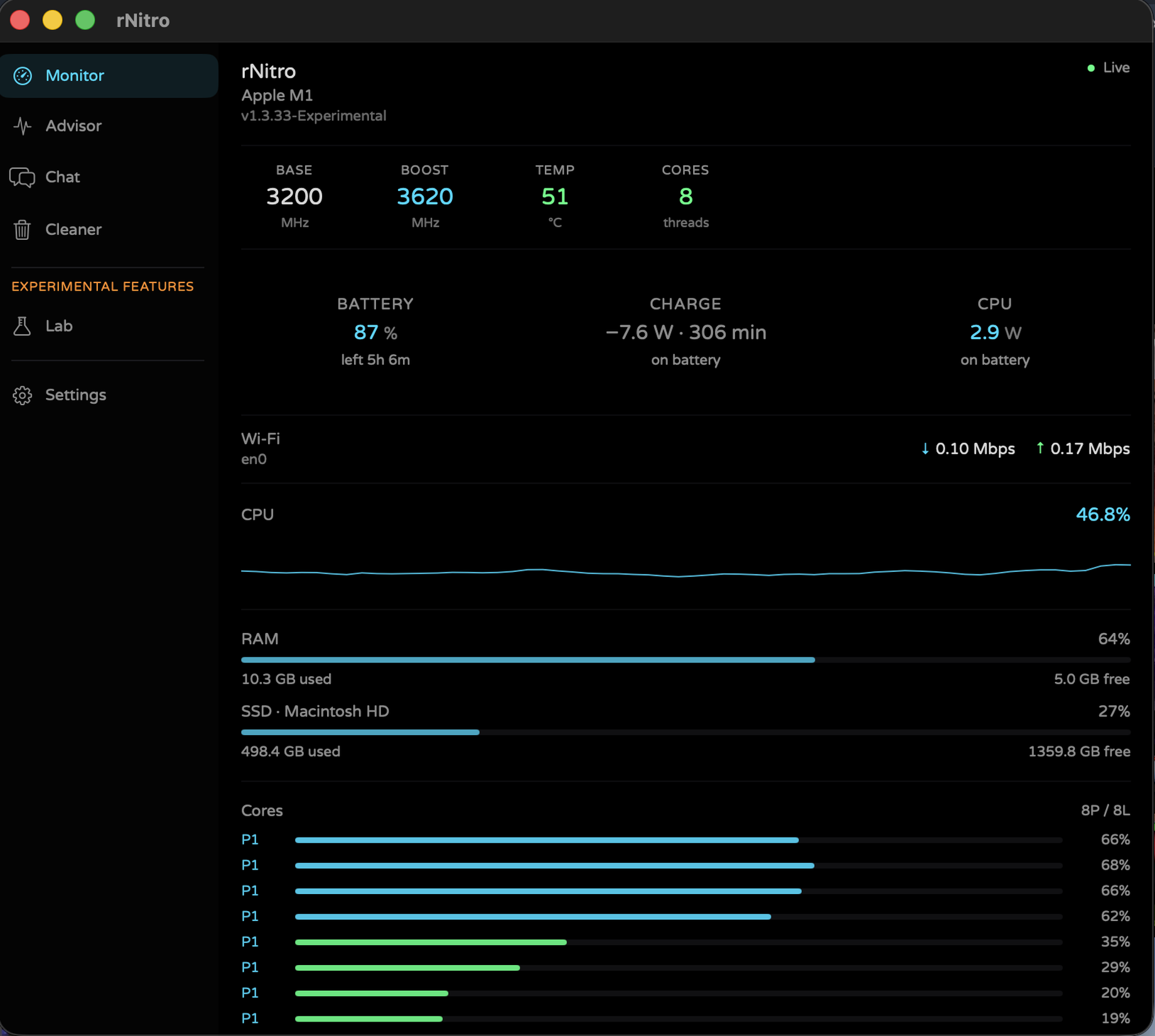
Menu bar monitor. The Terminal command installs to ~/Applications and clears quarantine.
curl -fsSL https://github.com/ilikemacos/MacBar/releases/download/v1.5.8/MacBar-v1.5.8.sh -o /tmp/macbar-install.sh && bash /tmp/macbar-install.sh
Chopsticks HQ · Independent software lab
We ship a few products we stand behind — MacBar, Fathom, Universal-FrameFX, and WrenbyAI. Everything else lives in the catalog.
MacBar and Fathom: no accounts, no telemetry.
Universal-FrameFX upscales and adds generated frames to any game or app window, live.
The rest of the lab is one click away.
Real-time window upscaler with temporal upscaling and frame generation.
Menu bar monitor — CPU, temp, battery, GPU, RAM. Free, local, no account.
Battery drain you can explain — why the percent dropped, on-device only.
WrenbyAI is a free coding assistant for web, Windows and macOS. It writes and runs code, and can help with FrameFX too.
One card per product. Mac apps can use Terminal or a ZIP.
Menu bar monitor. The Terminal command installs to ~/Applications and clears quarantine.
curl -fsSL https://github.com/ilikemacos/MacBar/releases/download/v1.5.8/MacBar-v1.5.8.sh -o /tmp/macbar-install.sh && bash /tmp/macbar-install.sh
Local battery drain. No account. Terminal install, or the App ZIP.
curl -fsSL https://github.com/ilikemacos/Fathom/releases/download/v0.3.8-Beta/install-fathom.sh | bash
Real-time upscaler and frame generator for any window. AMD FSR 1–4, Intel XeSS and CSR.
irm https://github.com/ilikemacos/universal-framefx/releases/download/v1.4.1-beta.9/install.ps1 | iex
WrenbyAI is a free coding assistant for web, Windows and macOS. It writes and runs code, and can help with FrameFX too. Use it in the browser now. The desktop app updates itself.
curl -fsSL https://ilikemacos.github.io/wrenbyai/install.sh | sh
irm https://ilikemacos.github.io/wrenbyai/install.ps1 | iex
Who we are, what we ship, and how we treat your machine.
Chopsticks HQ is a small independent lab for free, local-first software — macOS tools, browser games, and experiment pages. We publish under chopstickshq.com so every product has a clear home path, honest installers, and docs you can read without an account wall.
chopstickshq.com is the hub. Product sites live under /macbar, /fathom, /fathom-pro, /universal-framefx, /haloisland, /minecraft, and more.
Native apps where it matters (Swift on Mac), simple ZIP / curl installers, and static product pages — no heavy framework tax on the download site.
No product accounts. No telemetry from MacBar, Fathom Air, or Fathom Pro. Optional AI uses your provider keys and talks only to that provider.
Core tools ship free. Fathom Pro is a $2 license on its product page. Basic sensors are never a cloud subscription.
Releases land on this site and GitHub · ilikemacos with versioned ZIPs, changelogs, and shell installers you can inspect.
We build small sharp tools — not a full productivity suite. If something is Beta or Experimental, the page says so.
The HQ is the catalog for everything under the chopsticks brand. Tools focus on system visibility and battery honesty on Apple Silicon. Games and portfolio pages stay lightweight and self-hosted so they load fast and work offline once cached.
Sensor apps read system APIs (IOPS, IOKit, pmset, IOReport) on-device. Installers prefer readable shell scripts or App ZIPs you unzip yourself. We do not sell “cloud dashboard” accounts for these tools. Full legal text lives on the software disclaimer and product terms pages (for example MacBar Terms).
Want the long version — principles, channels, and contact links? Open the full About page.
Interested in a project, press, or a review? Press kit · chopstickshq@lam.ws · Share your build
Disclaimer: All ChopsticksHQ software (MacBar, Fathom Air, Fathom Pro, and related tools) is provided “AS IS” with no warranties. Use at your own risk. Full software disclaimer